Creation Kit: Configuring your weapon (Single ammunition type)
This is a small article just showing where your keyword should be attached to your weapon form. It's pretty self explainitory but its being included for completeness.
You can click any image to enlarge it
Attaching your keyword
Once you have your UI_Icon keyword (See this article) created, all you have to do is add it to your weapon form (General > Keywords). Below is showing the Hard Target weapon form with the UI_ICON keyword attached.
Make sure you only have one UI_ICON keyword attached, having multiple will cause a conflict and only the first one will work
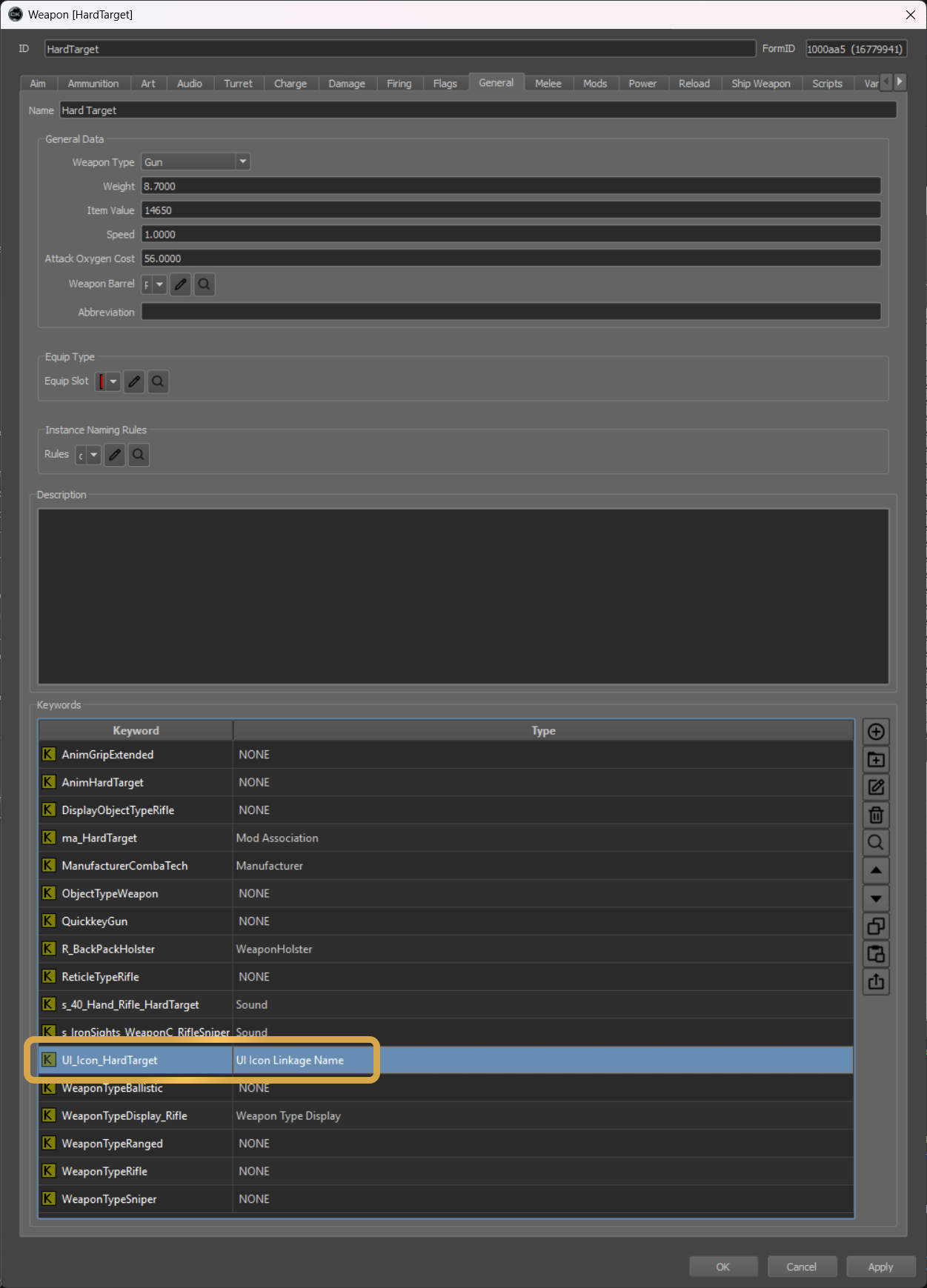
UI_Icon Keyword on Hard Target Weapon Form